
The Enrollment Graph widget does not show for every type of study; It displays only for eCOA Phone/Web and PFT studies at this time.
To view a site's enrollment status for a site, on the My Portal Dashboard, look for the Enrollment Graph widget.
|
The Enrollment Graph widget does not show for every type of study; It displays only for eCOA Phone/Web and PFT studies at this time. |
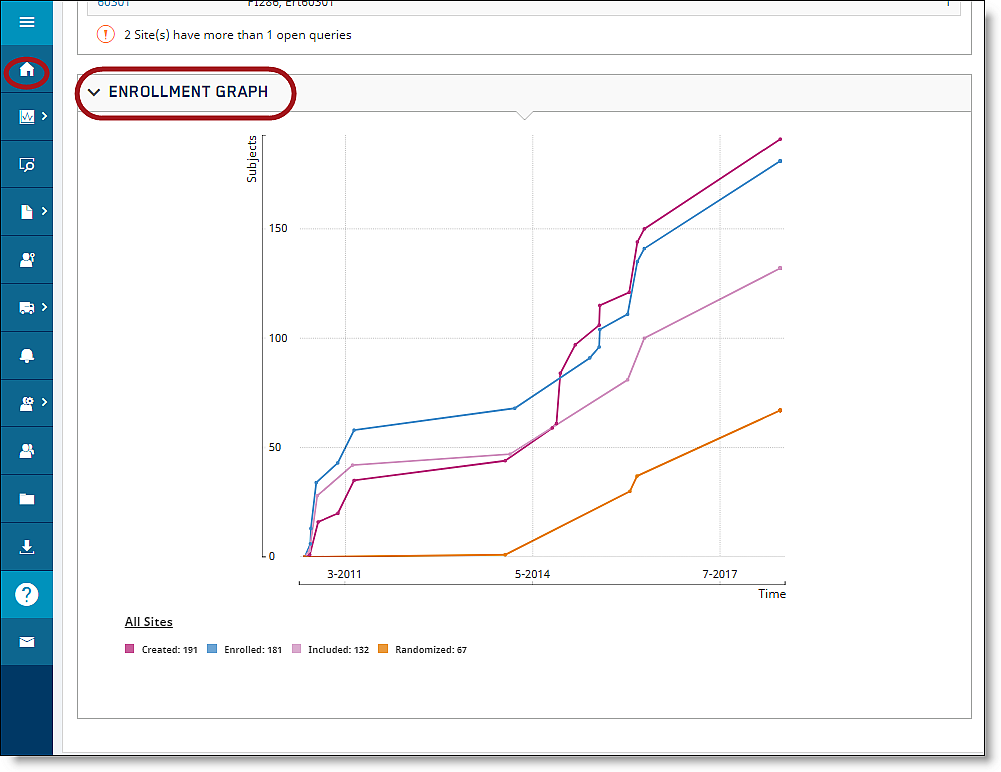
The Enrollment Graph displays the statuses for All Sites and Assigned Sites. All Sites displays the following statuses:
Enrolled
Included
Randomized
Early Terminated
Excluded
Finished

Assigned Sites (sites you have access to) displays the following statuses: Enrolled, Included, Randomized, Excluded, and Finished.